Hyperlinks and Labels

Hyperlinks and Labels |
|
The
classes os_hyperlink and os_label
provide the facility to jump from one location to another on the Web. You can
jump to the top of another Web page, to a specific location on the current Web
page, or to a specific location on another Web page.
To jump to the top of another Web
page, you must reference a URL in the os_hyperlink
object. Refer to Introduction to Web<ToolKit>
for information on URL specifications.
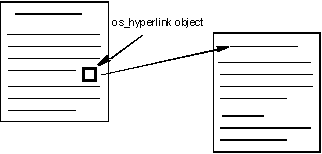
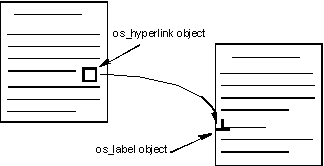
To jump to a specific location on
a Web page, you must reference both a URL and an os_label
object in the os_hyperlink object. The referenced os_label
object must be embedded at the desired location for the jump to succeed.
Many types of elements can serve
as the contents of the os_hyperlink or os_label
object. When you select the element, the jump occurs. This section describes how
to:
The following example defines the text string " Recursion Software LLC" as a hyperlink that references the URL http://www.recursionsw.com.
#include <iostream.h>
#include <ospace/web.h>

int main()
  {
  os_page page( "Link#1 Example" );
  page << "To Find Out More About Us, Please Visit "
        << os_hyperlink( "http://www.recursionsw.com", " Recursion Software LLC" );
  cout << page;
  return 0;
  }
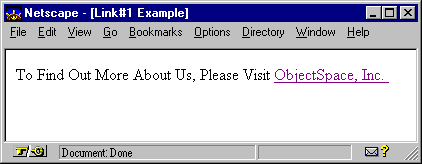
Text that is hyperlinked is underlined and often appears in a different color than the surrounding text, although this is configured on the browser and may vary from one browser to the next.
The following example defines
the image oslogo.gif as a hyperlink that
references the URL http://www.recursionsw.com. The os_image::middle
option centers the graphic vertically with the surrounding text. Refer to the Images
section in this chapter for more details on defining images.
#include <iostream.h>
#include <ospace/web.h>

int main()
  {
  os_page page( "Link#2 Example" );
  page << "To Find Out More About Us, Please Visit "
       << os_hyperlink( "http://www.recursionsw.com",
                        os_image( "oslogo.gif", os_image::middle ) );
  cout << page;
  return 0;
  }
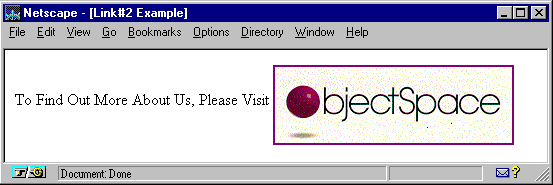
Because os_hyperlink
is derived from os_element_group , it can contain
multiple elements, each of which is added using either the add()
or operator<< function. Each element
in the os_hyperlink object becomes a link to
the same destination.
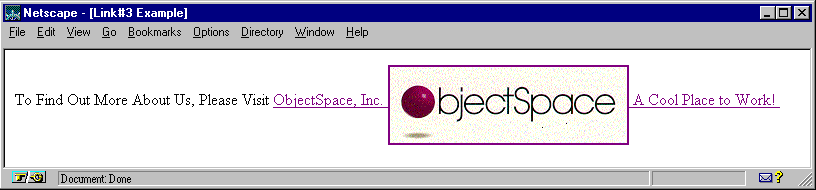
The following example creates a hyperlink object named link that includes the text string " Recursion Software LLC," the image oslogo.gif, and the sentence "A Cool Place to Work!" as hyperlinks that reference the URL http://www.recursionsw.com.
#include <iostream.h>
#include <ospace/web.h>

int main()
  {
  os_page page( "Link#3 Example" );
  os_hyperlink link( "http://www.recursionsw.com", "  Recursion Software LLC " );
  link << os_image( "oslogo.gif", os_image::middle )
       << " A Cool Place to Work!";
  page << "To Find Out More About Us, Please Visit "
       << link;
  cout << page;
  return 0;
  }
An os_label
object marks a specific location on a Web page as
the target destination of a hyperlink. Every label has a corresponding name.
The name is used with a URL in the os_hyperlink
object to allow links to a specific location on a Web page, rather than only
to the top of a Web page.
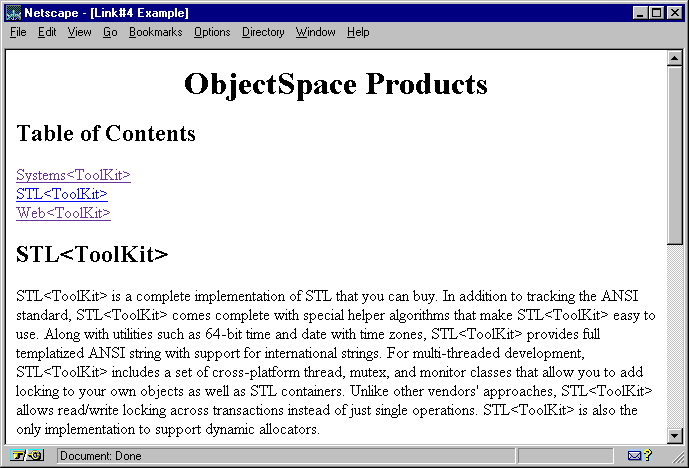
In the following example, a large Web page document is constructed. A table of contents listing the topics is added to the top of the page. Each table of contents entry is a hyperlink to a label embedded within the same Web page. When one of these hyperlinks is selected, the browser scrolls to its corresponding label.
Following the list of
hyperlinks, the class os_paragraph creates three
text paragraphs. When the page is constructed, the class os_label
adds a label containing a second level heading prior to each paragraph.
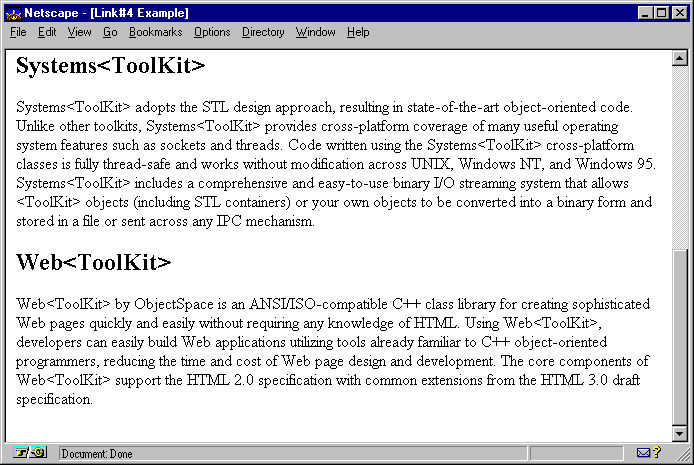
Hyperlinks at the top of this page jump to their respective os_label
objects. These os_label objects enclose the
element which is the target of the hyperlink. For example, the hyperlink
"Systems<ToolKit>" jumps to the label named systems
. This label references the location of the second level heading
"Systems<ToolKit>."
The code in this example has been condensed for purposes of space.
#include <iostream.h>
#include <ospace/web.h>

int main()
  {
  os_page page( "Link#4 Example" );

  // Empty hyperlink URL = current page.
  os_paragraph toc;
  toc << os_hyperlink( "", "systems", "Systems<ToolKit>" )
      << os_break()
      << os_hyperlink( "", "stl", "STL<ToolKit>" )
      << os_break()
      << os_hyperlink( "", "web", "Web<ToolKit>" ) ;

  os_paragraph stl_desc;
  stl_desc <<
    "STL<ToolKit> is a complete implementation of STL that you can buy. "
       .
       .
       .
    "dynamic allocators.";

  os_paragraph systems_desc;
  systems_desc <<
    "Systems<ToolKit> adopts the STL design approach, resulting in "
       .
       .
       .
    "and stored in a file or sent across any IPC mechanism.";

  os_paragraph web_desc;
  web_desc <<
    "Web<ToolKit> by Recursion Software is an ANSI/ISO-compatible C++ class "
       .
       .
       .
    "from the HTML 3.0 draft specification.";

  page << os_heading( 1, "Recursion Software Products", os_heading::center )
       << os_heading( 2, "Table of Contents" )
       << toc
       << os_label( "stl", os_heading( 2, "STL<ToolKit>" ) )
       << stl_desc
       << os_label( "systems", os_heading( 2, "Systems<ToolKit>" ) )
       << systems_desc
       << os_label( "web", os_heading( 2, "Web<ToolKit>" ) )
       << web_desc;

  cout << page;
  return 0;
  }
The figure below shows the top of a Web page. Each item in the table of contents is a hyperlink to a section heading within the document.
The following screen shot shows the result of selecting the hyperlink "Systems<ToolKit>" at the top of the document. The browser has scrolled to the location of the level two heading "Systems<ToolKit>."
Copyright©1994-2026 Recursion
Software LLC
All Rights Reserved - For use by licensed users only.