
|
Web<ToolKit> supports
embedded applets within a Web page. Use the class os_applet
to embed an applet in a Web page. Applets are small, executable programs that
allow you to run applications including playing sound or running animation.
Applets are written in the Java programming language. An applet is compiled and
the resulting class file is referenced within a Web page. Not all Web browsers
are capable of supporting Java applets.
The information in this user manual does not address the creation of Java applications. However, Web<ToolKit> simplifies the task of embedding an applet within a Web page.
The task of adding a simple applet to a Web page consists of citing the name of the applet to run and instructing the browser how it should run, which includes specifying:
Also, the path to the main class file must be specified if it resides in a different directory other than the directory containing the HTML file.
The following example adds the
animated Java applet JackhammerDuke.class to a Web
page, sets its initial size as 300 pixels by 100, and adds the level three
heading "Under Construction!"
#include <iostream.h>
#include <ospace/web.h>

int main()
  {
  os_page page( "Applet#1 Example" );

  os_applet applet( "JackhammerDuke.class", 300, 100 );

  page << os_heading( 3, "Under Construction!" )
       << applet;
  cout << page;
  return 0;
  }
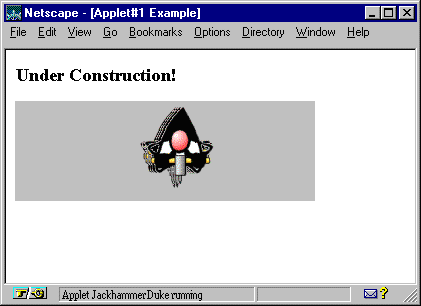
The applet is running within the grey box in the above example output. The character is shown vibrating across the page accompanied by a sound similar to a jackhammer. The status message at the bottom of the window states the applet is running.
Copyright©1994-2026 Recursion
Software LLC
All Rights Reserved - For use by licensed users only.